
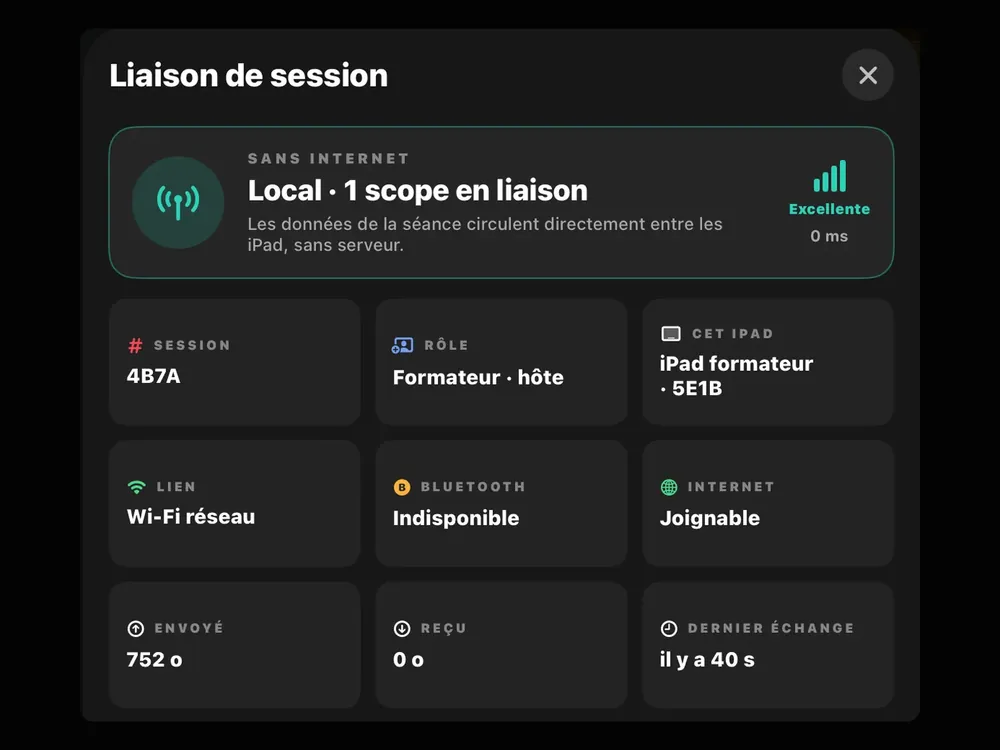
Local link, no Internet
The trainer creates the session and shares a 4-character code. Trainees’ iPads join it directly, with no Internet and no server: the Session link sheet shows the link quality.
Trainer Mode
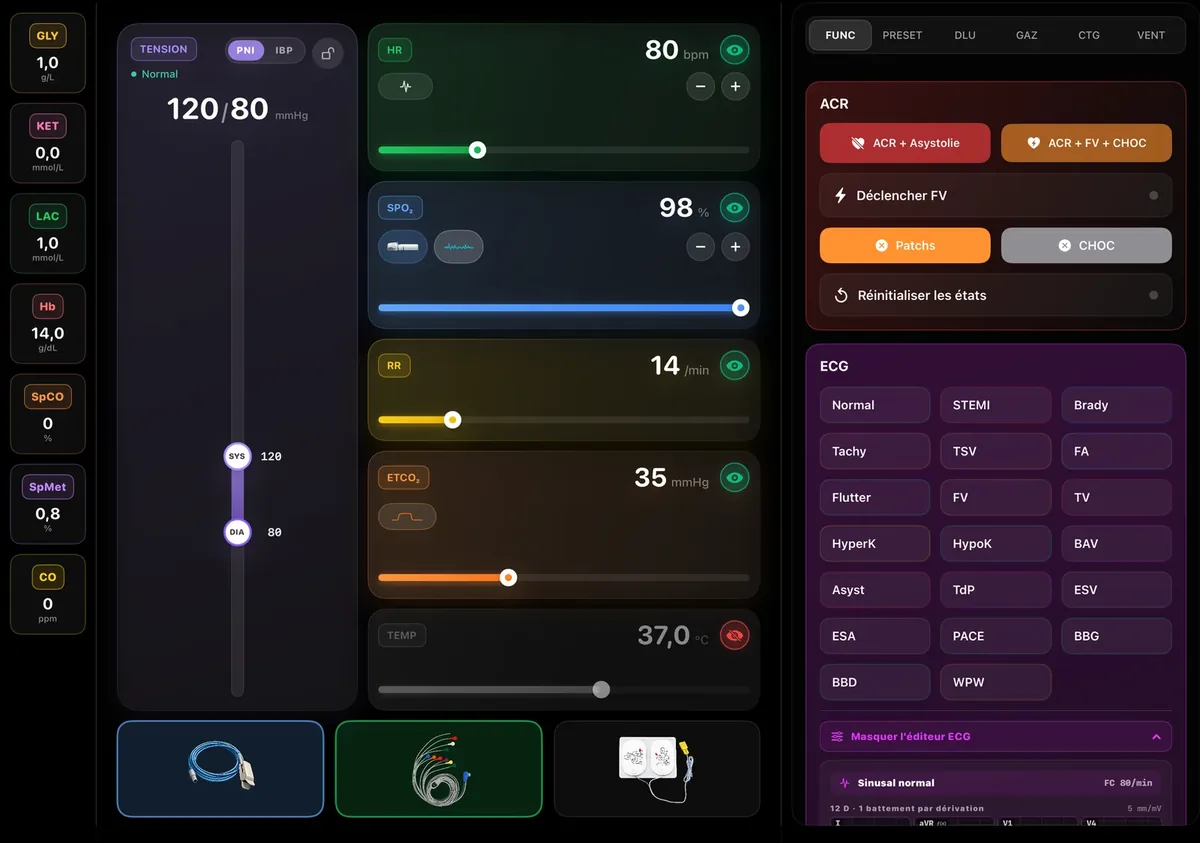
On iPad, or in the browser with the web panel. Vital signs, rhythms, failures, scenarios: the trainer sets everything live, and the learners' monitors react at once.
On video
Video in French.
The trainer station is an app: one iPad is enough to run the whole session.
The vitalxtrainer.app web panel runs the session with nothing to install.
iPads talk over a local link: no Internet, no server.
01
The trainer creates the session and shares a 4-character code. Trainees’ iPads join it directly, with no Internet and no server: the Session link sheet shows the link quality.
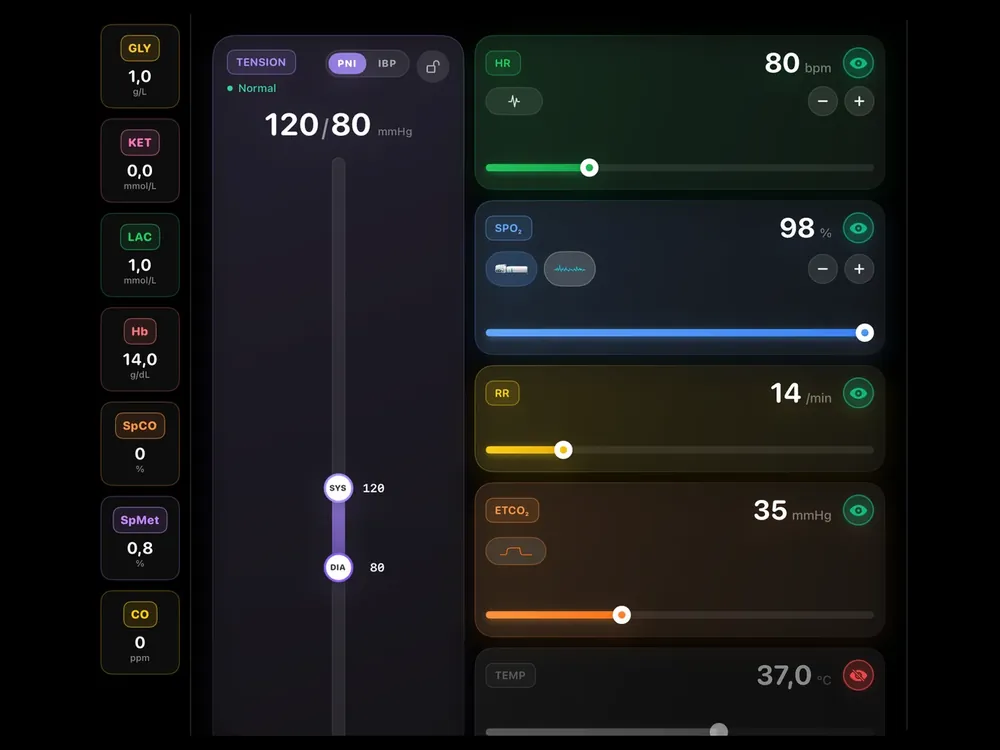
HR, SpO₂, RR, EtCO₂, temperature, NIBP or invasive pressure: each value is set with a slider or in steps. The left column holds glucose, lactate, haemoglobin, SpCO and CO.
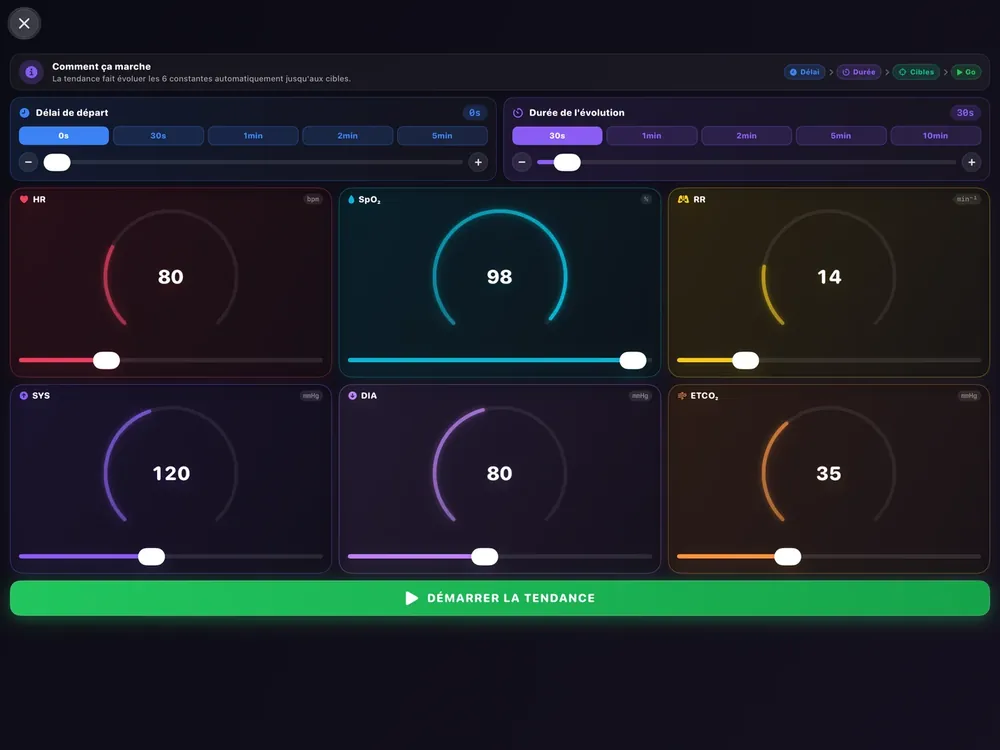
The TEND button drifts HR, SpO₂, RR, EtCO₂ and NIBP towards targets: start delay, duration, then one tap to launch the trend. The patient deteriorates or recovers on their own.
02
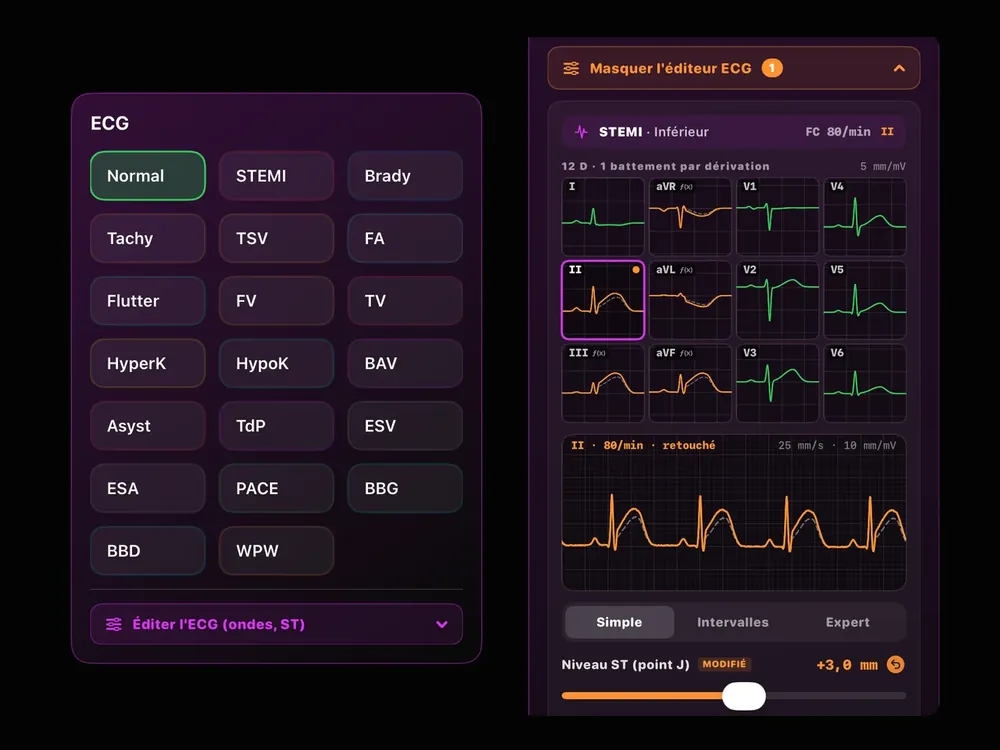
Dozens of rhythms in one tap (sinus, STEMI, AF, VF, AV block, torsades, pacemaker…), with their variants: STEMI territory, block type. The editor adjusts waves, ST and intervals on all 12 leads.
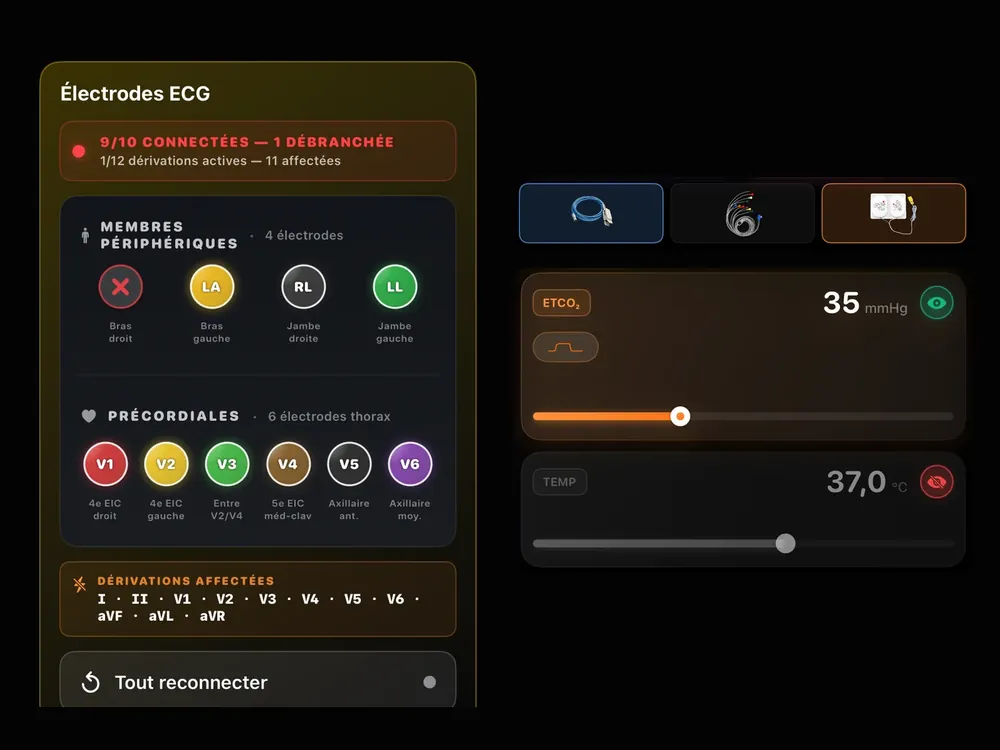
ECG cable, SpO₂ sensor, capnography, defibrillation pads and each of the 10 ECG electrodes: plug them in when the trainee places them. An unplugged electrode drops the leads that depend on it.
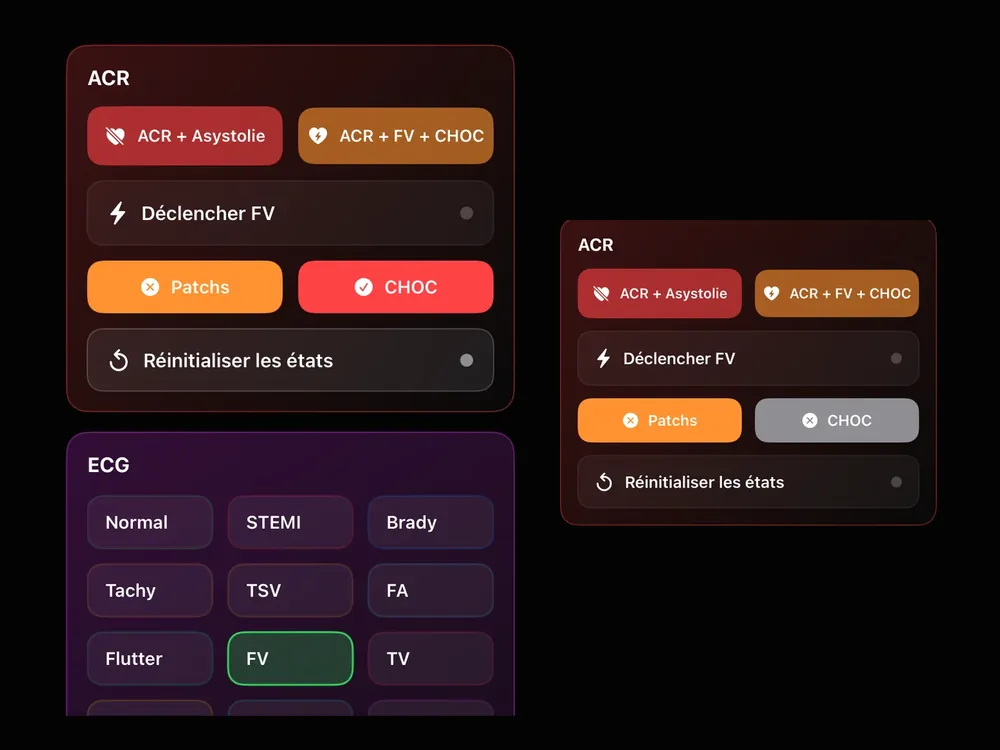
Arrest + asystole or arrest + VF + shock in one tap, pads placed or not. In automatic analysis, a shock is advised only if SHOCK is on and the rhythm is shockable.
03
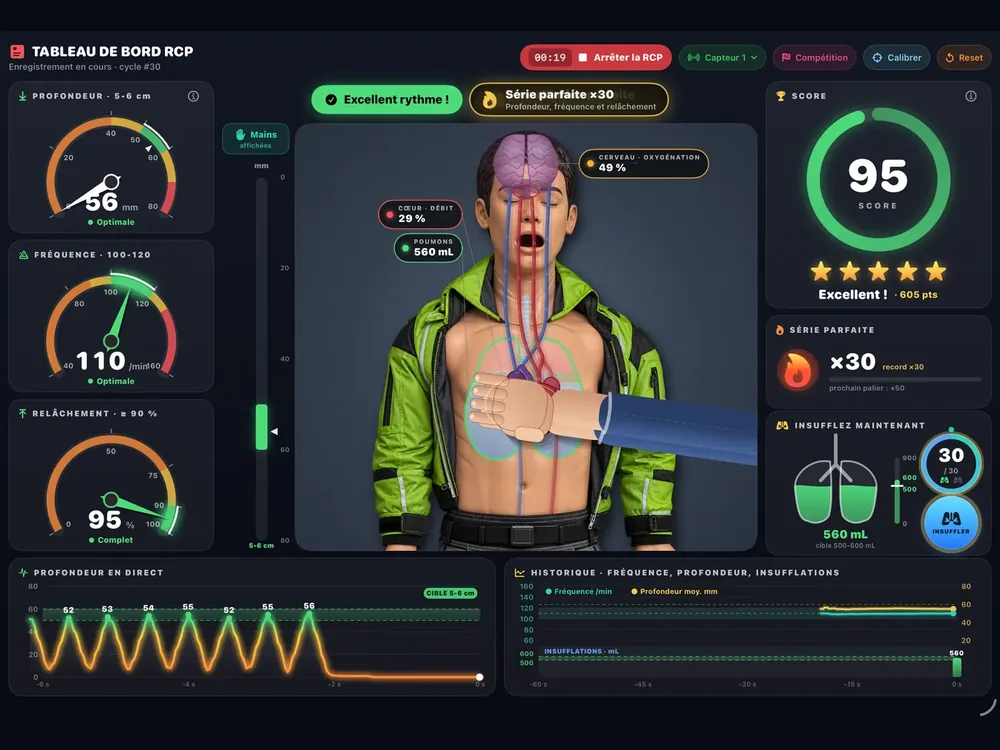
A Bluetooth sensor placed on the manikin measures every compression: rate, depth, recoil. The CPR dashboard shows the live measurement and a score out of 100, with a timed 2-minute challenge.
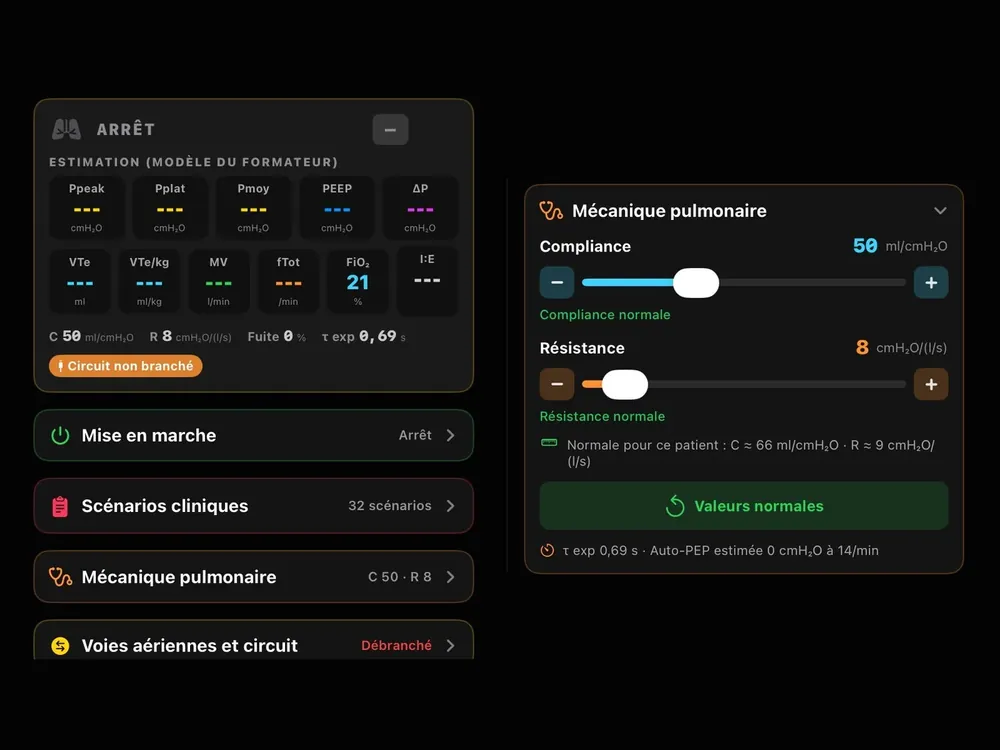
The VENT tab sets the ventilated patient: spontaneous breathing, compliance and resistance, leak, obstruction, oxygen, power and failures. Clinical scenarios apply in one tap.
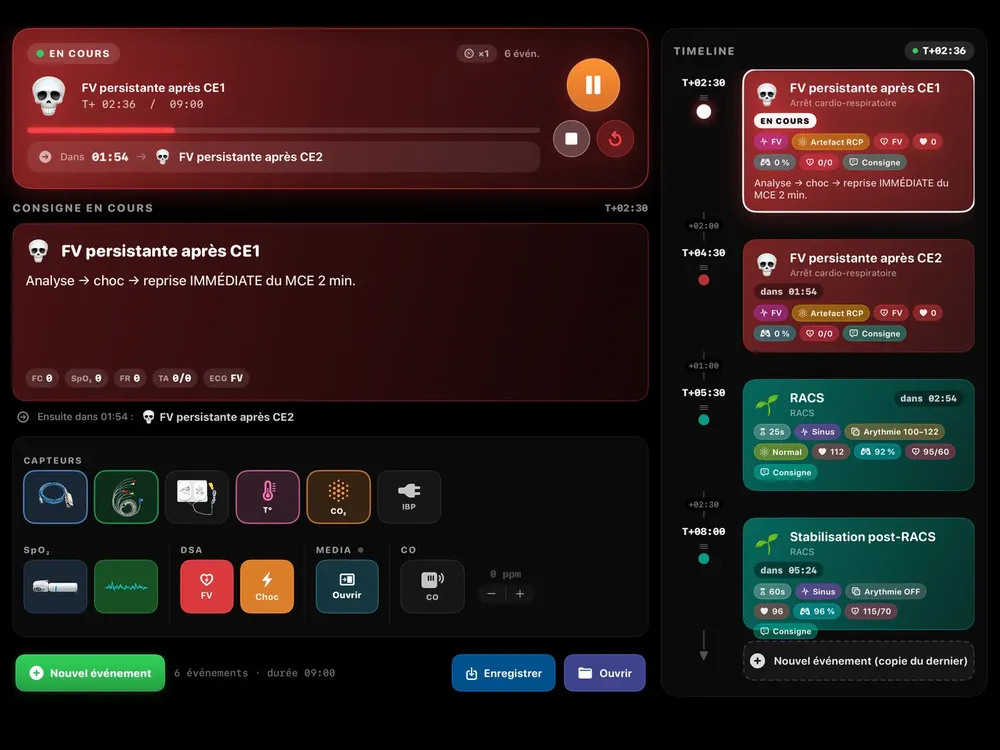
Pre-built patients in one tap, or timed scenarios: a timeline of events that changes vital signs, rhythm, sensors and documents at T+mm:ss. A library by audience (PSE 1, PSE 2, paramedic, physician) and an editor to build your own.
04
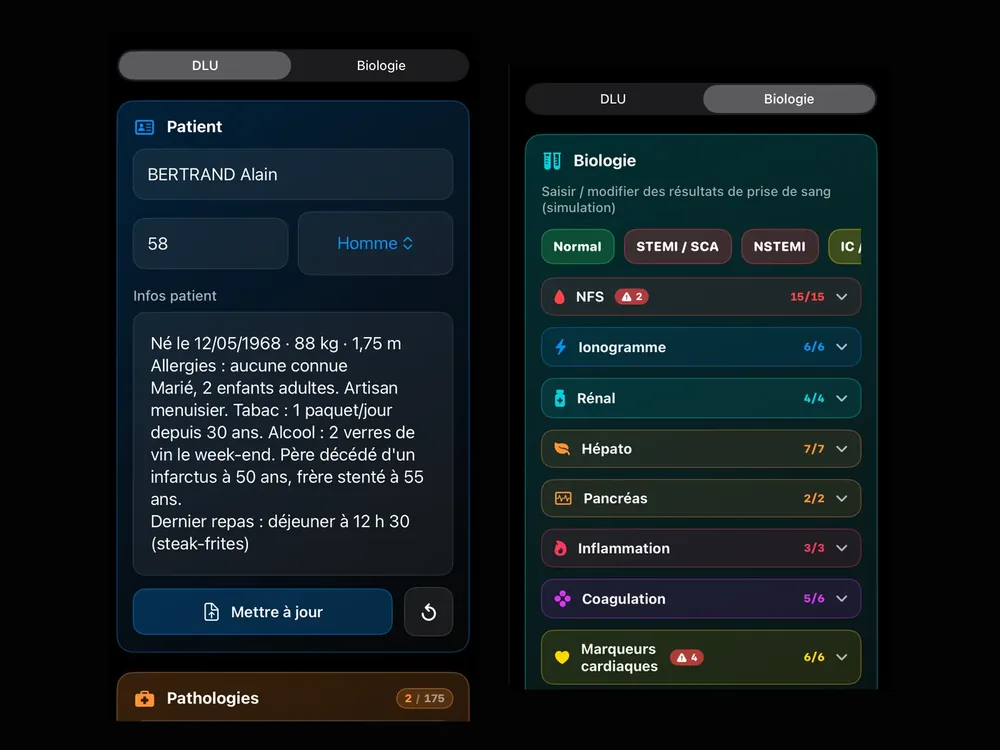
The patient file (identity, allergies, lifestyle, conditions, medications) and the lab report are filled in from the iPad: choose a panel (normal, STEMI / ACS, sepsis…), adjust, send.
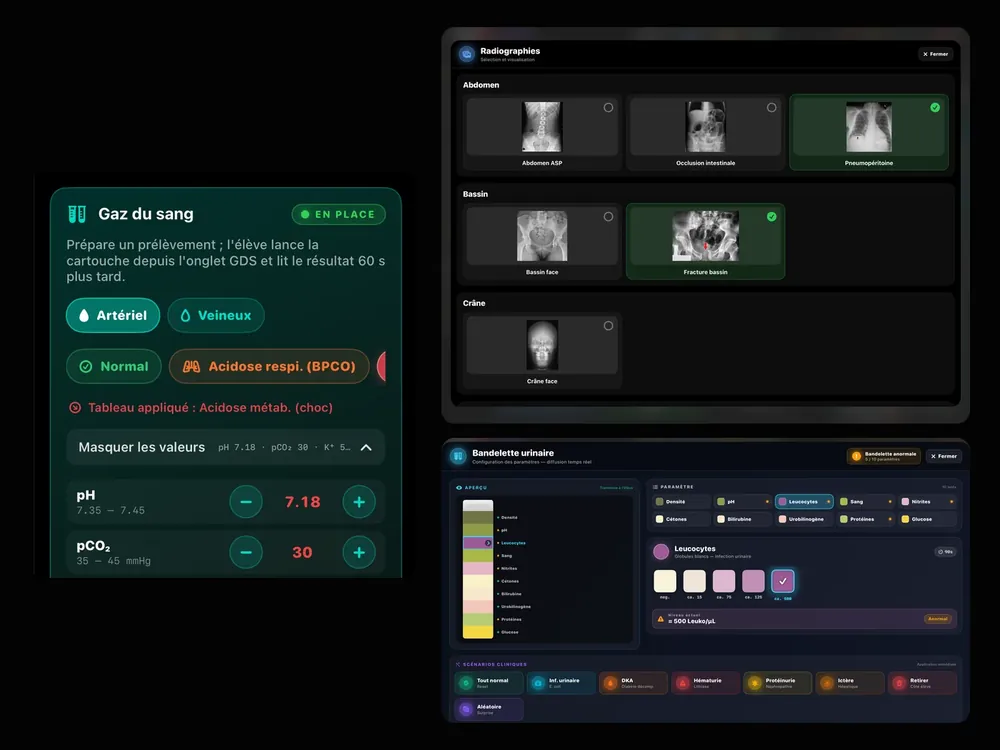
An arterial or venous sample the trainee analyses themselves (result 60 s after the cartridge starts), X-ray images sorted by category, a 10-test urine dipstick or a clinical panel.
Media Center
Screenshots of the Media Center panel on the DEFIGARD HD-7 (SCHILLER), with no trainer iPad connected.
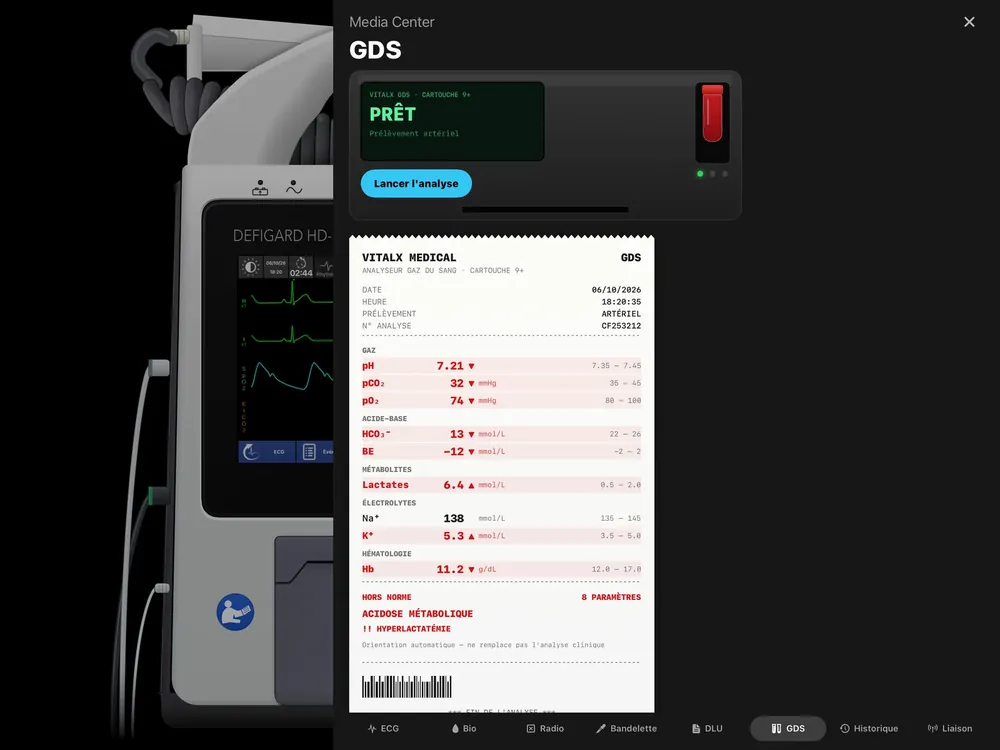
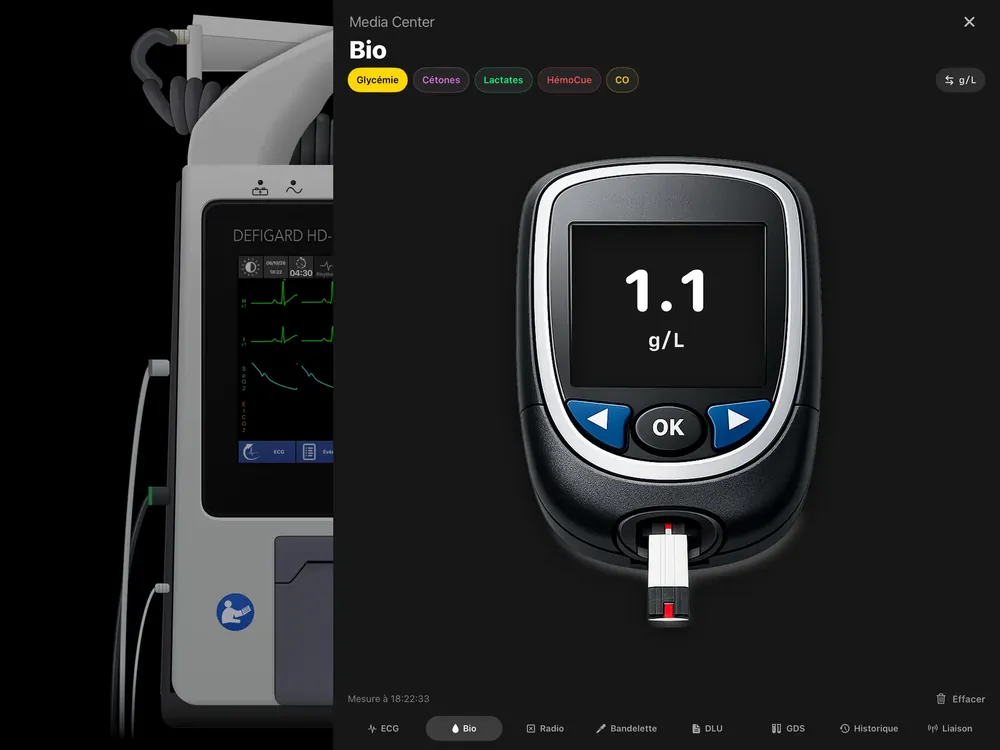
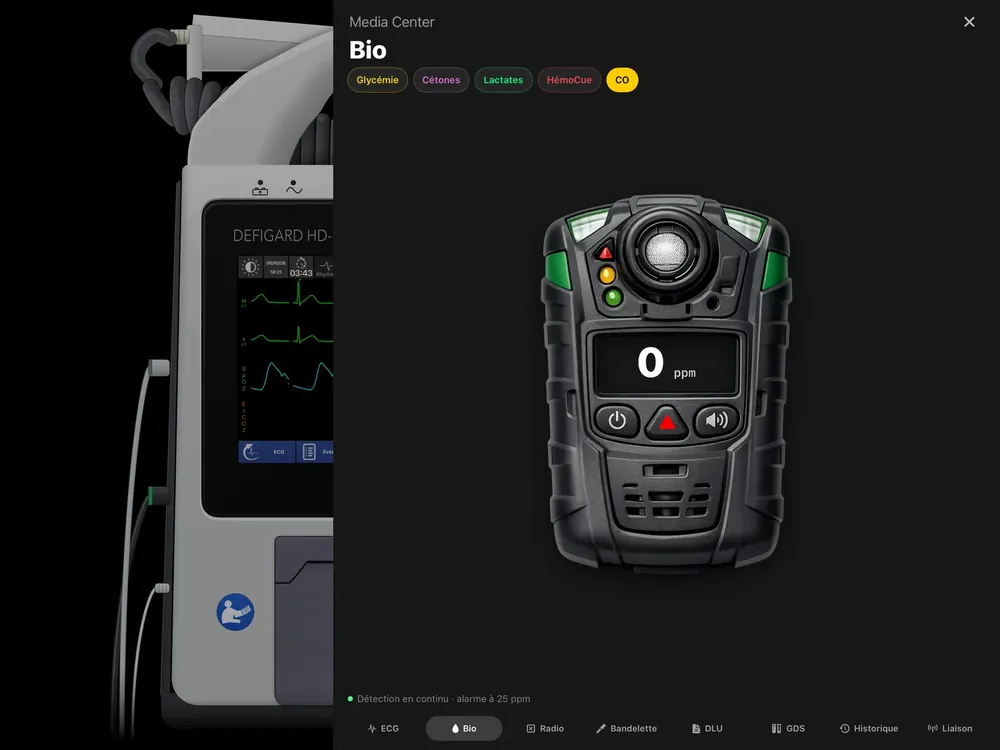
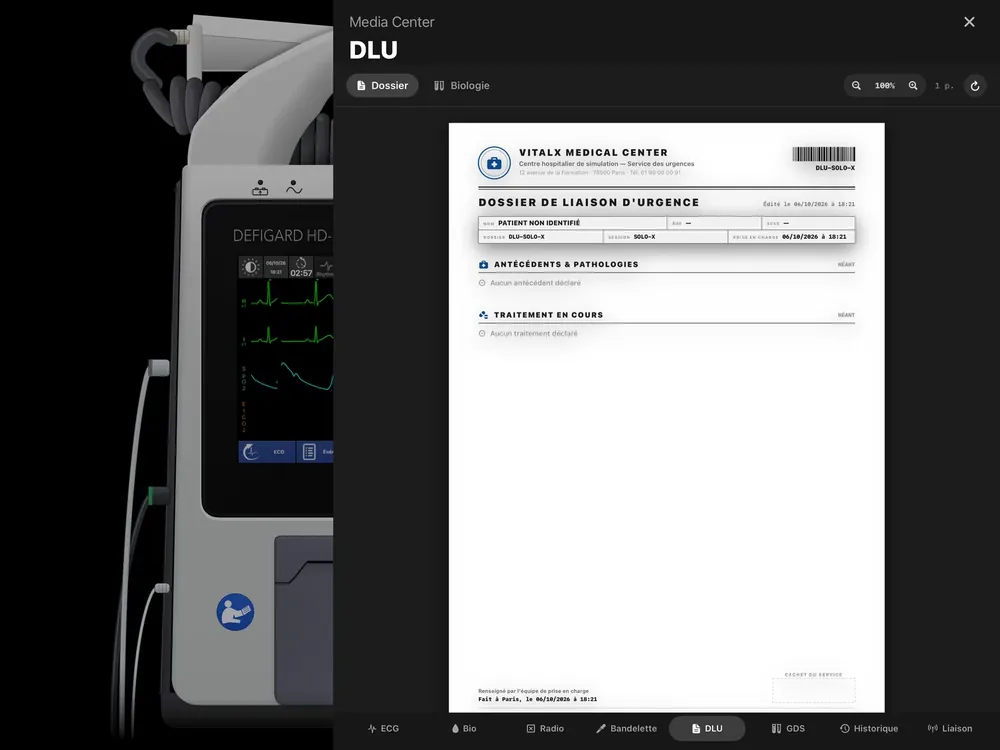
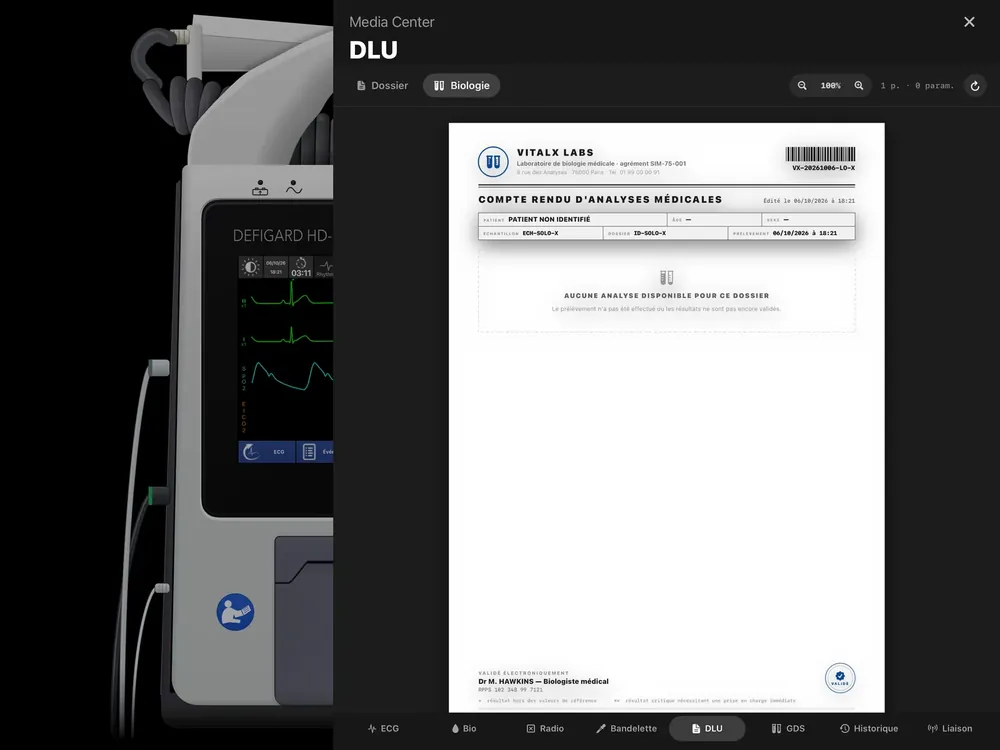
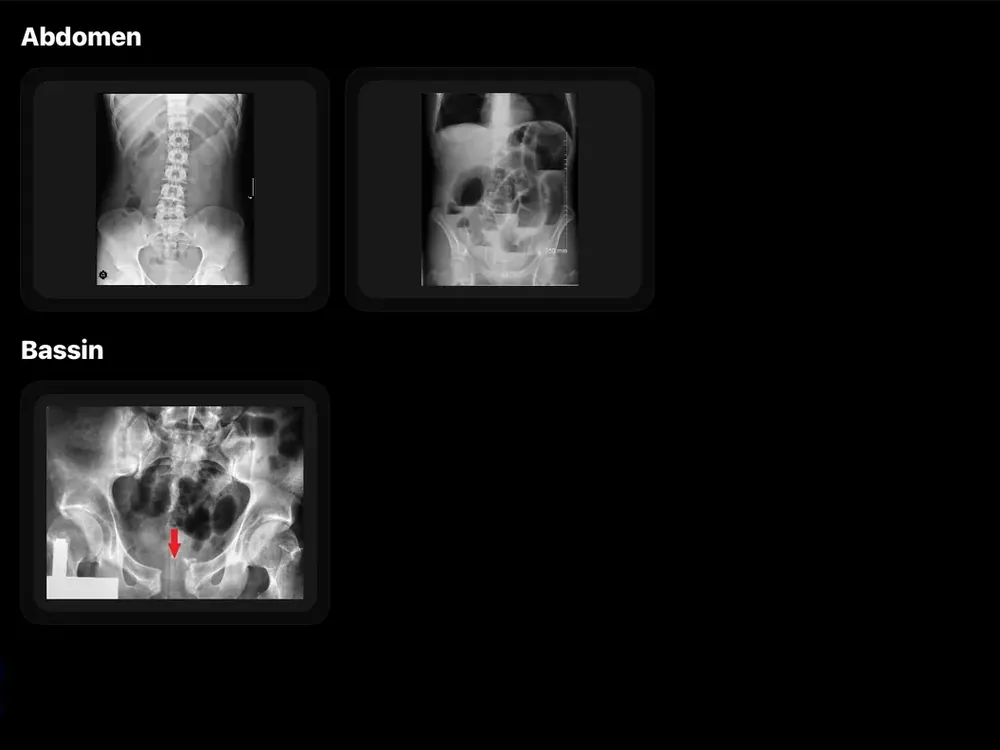
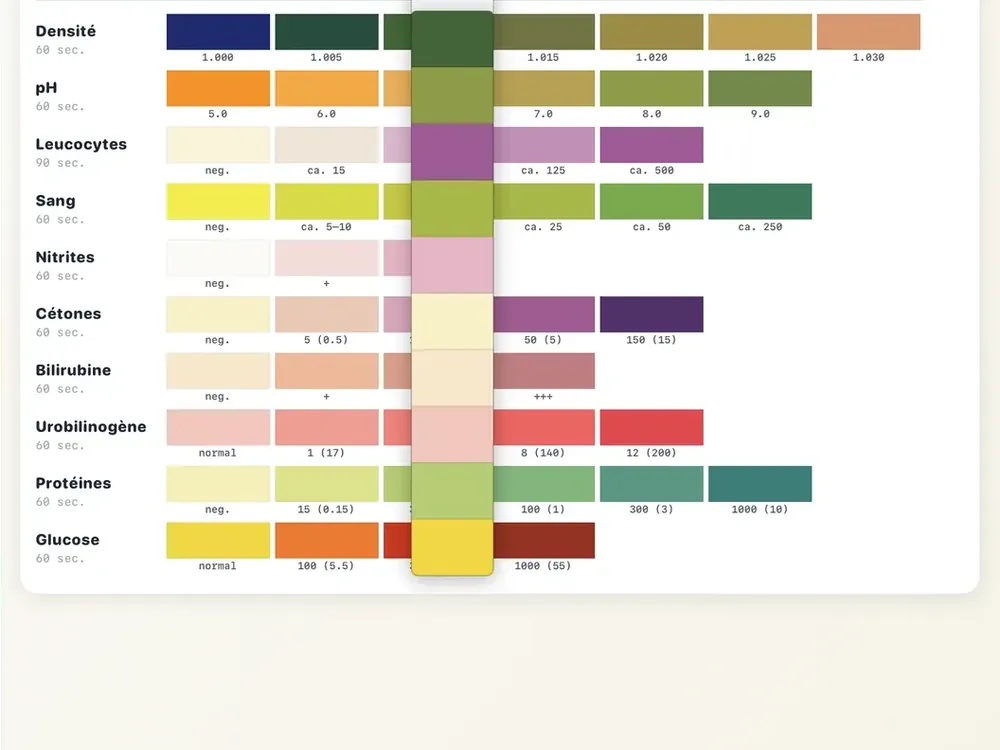
The 12-lead ECGs printed from the device are archived and can be reopened in the panel.
Every device event is logged, for the debrief.
The status of the link with the trainer's iPad (local link, no Internet).
Run the session from your browser: open vitalxtrainer.app, there is nothing to install.